FREQUENTLY ASKED QUESTIONS (F.A.Q.)
EVERYTHING YOU NEED TO KNOW, SO YOU CAN ORDER LIKE A PRO!
Download the new app today and enjoy a more convenient and enjoyable dining experience.
How do I get Café BonApp?
Café BonApp is available for download wherever you get your mobile apps, including the Apple App Store or Google Play site.
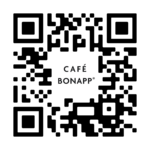
How do I connect to my campus?
When you open the app for the first time you will be prompted to enter an access code, type starbucks to connect to our campus.
Do I have to enter the access code, e-mail address, and verification code each time I want to use the app?
No, the app will remember all this information as long as you remain logged in.
Do I have to download the mobile app to order?
No, you can also place orders using a mobile weblink. However, without an account, you won’t have access to features like order history and the ability to easily repeat past orders.
Click this link to begin your web order: ORDER HERE
What if the time I want isn’t available?
To ensure a smooth pick-up experience, we have limited the number of orders per time slot. If your first choice is unavailable, please select an alternative time.
How far in advance can I book my slot and place my order?
As of now, we are only taking same day orders.
Can I place a repeat order from my previous order history or do I have to enter it again?
Yes, in your order section at the bottom row, there will be a reorder button from your history. However, please note some items may not be offered due to chef specials and seasonality.
I like my food and drink prepared a certain way, can I modify menu items or provide specific instructions through the app?
There are options to customize your order.
Do I have to use Café BonApp to order from the SODO Kitchen?
No, orders can be placed through the app, desktop link or SODO Kitchen kiosks. The easiest and most preferred way to place an order is via the app.
I need a receipt for my purchase, does the app provide one?
Yes, in the orders section, completed orders will have a receipt option.
Am I able to preview the breakfast or lunch menu in the app?
Yes! In the top right corner, you can select which day you would like to view. After selecting the correct date, click through the stations you would like to view.
How do I get a notification once my order is ready?
When ordering through the app, go to account -> My profile page and enter in your mobile number and first and last name. You will get a text message once your order is ready.
Can my name be printed on my receipt if I order through the app?
Yes! In the app, go to account -> My profile page and enter your first and last name.
I have a problem with my order or the app, how do I get help?
Within the app there is an “Account” button, click that and you can submit your issue using the “Support” function.
I have additional questions not answered here, who can I talk to?
Please contact General Manager – Eric Battles at john.battles@cafebonappetit.com